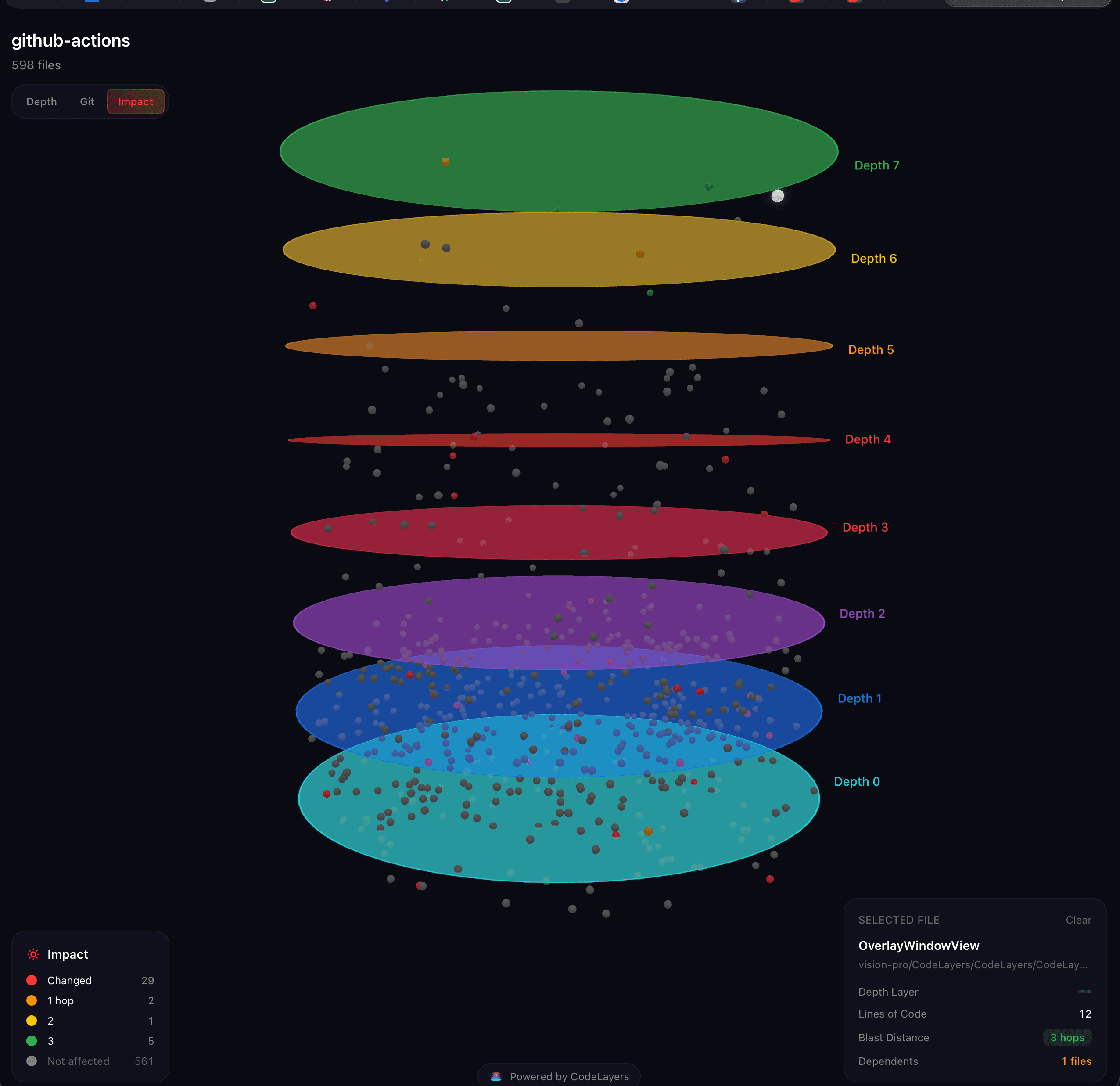
You've got 800 files across 4 services. A PR lands that touches 23 of them. You open the diff, start reading, and try to hold the entire dependency chain in your head.
By file 9, you've lost the thread.
This is the daily reality for engineers working with large codebases. You spend more time understanding code than writing it. grep shows you matches, not relationships. Your IDE shows you one file at a time. And the architecture diagram someone drew in Lucidchart two sprints ago? Already wrong.
Code visualization tools exist to solve this. They parse your actual source code, build dependency graphs, and render them visually — so you can see the architecture instead of reconstructing it in your head.
This guide covers what code visualization is, why it matters more in 2026 than ever before, the major approaches and tools available, and how to choose the right one for your team.
What is code visualization?
Code visualization is the practice of representing source code structure — files, functions, classes, imports, and dependencies — as visual elements rather than text.
Instead of reading import { UserService } from '../services/user' across hundreds of files, you see a graph where UserService is a node connected to every file that imports it.
There are four main types of code visualization:
1. Dependency graphs
The most common form. Files or modules become nodes. Imports and function calls become edges. The graph shows you how code is connected.
A good dependency graph answers questions like:
- What does
auth.rsdepend on? - What depends on
auth.rs? - If I change
UserModel, what breaks?
Tools in this category: CodeLayers, Sourcetrail (discontinued), dependency-cruiser, Madge.
2. Architecture diagrams
Higher-level views that show system components — services, databases, APIs — and how they interact. C4 diagrams are the most popular framework.
The difference from dependency graphs: architecture diagrams are typically manually maintained (drawn in tools like Lucidchart, Structurizr, or Mermaid), while dependency graphs are generated from code.
Manual diagrams go stale. Generated graphs don't.
3. Code metrics visualization
Tools like CodeScene and CodeCharta visualize code health — complexity, churn frequency, technical debt hotspots — rather than structure. Useful for identifying where problems are, but not for understanding how code connects.
4. 3D / spatial visualization
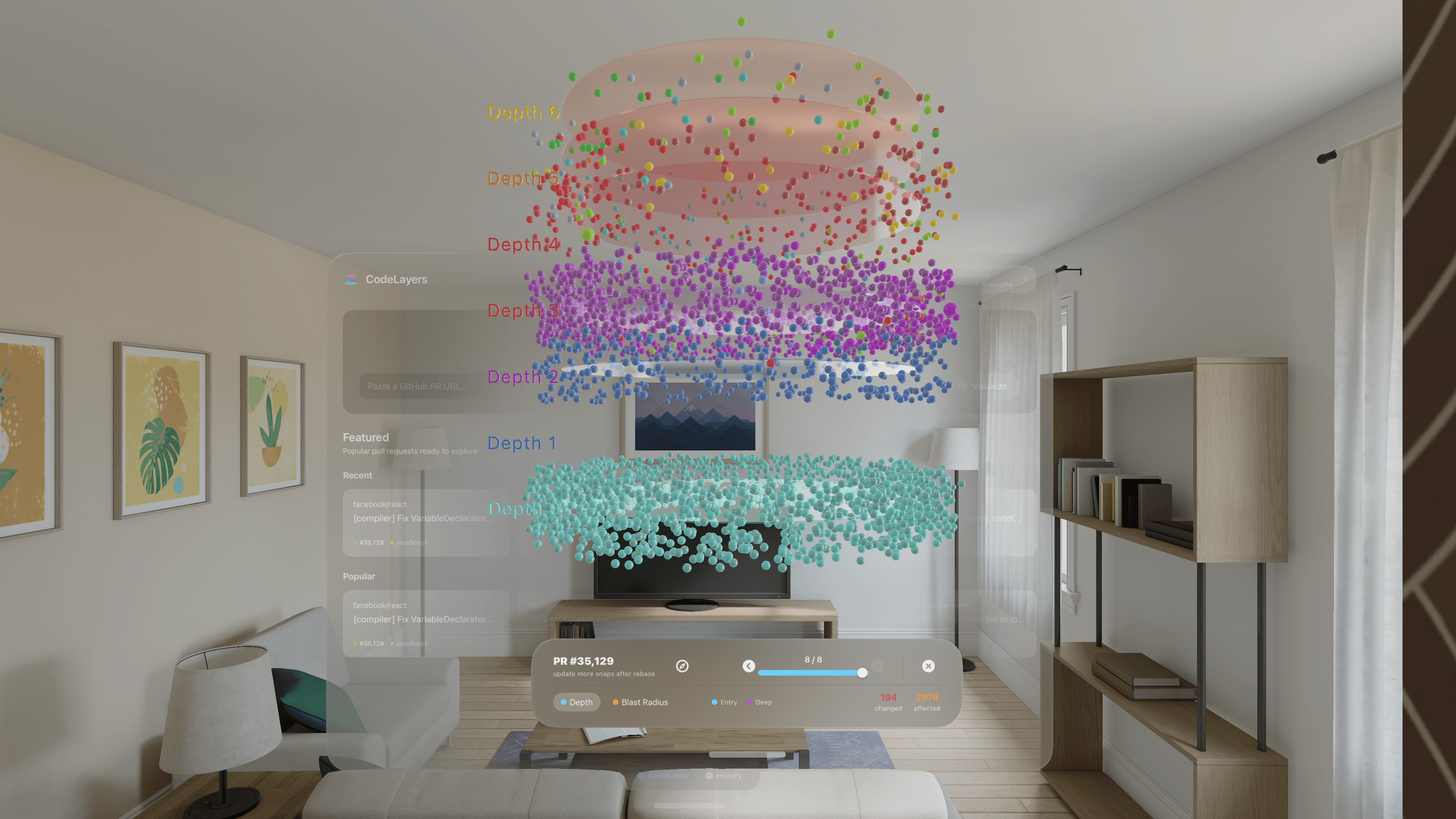
The newest category. Instead of flat 2D graphs, codebases are rendered in three dimensions — files arranged in space, dependencies visible as connections between them. This approach leverages spatial cognition: humans naturally understand spatial relationships better than nested text hierarchies.
Tools in this category: CodeLayers (iPhone, iPad, Vision Pro, web).
Why code visualization matters more in 2026
Three trends have converged to make code visualization a necessity, not a nice-to-have:
AI agents are generating more code than ever
Claude Code, Cursor, Codex, Gemini — AI coding agents write syntactically correct code. But they don't inherently understand your architecture. They can't "see" that auth.rs is a central hub with 47 downstream dependents, or that adding another import to utils.ts will create a circular dependency.
The result: codebases are growing faster than humans can track. You need a way to see the shape of your code, not just read it line by line.
Codebases are larger and more interconnected
Monorepos are mainstream. Microservices are proliferating. The average production codebase at a mid-size tech company has thousands of files across dozens of modules. Manual understanding doesn't scale.
The "blast radius" problem is getting worse
Every code change has downstream effects. A function signature change in a utility module might affect hundreds of files transitively. In a recent analysis, a PR that modified 17 files had a blast radius of 560 files — a 33x multiplier. Most of those affected files never showed up in the diff.
Without visualization, you're reviewing PRs blind.
How code visualization works
Under the hood, most code visualization tools follow a similar pipeline:
Step 1: Parsing
The tool reads your source files and extracts structure — functions, classes, imports, exports, type references, call sites. Most modern tools use tree-sitter grammars for this, which provide fast, incremental, language-agnostic parsing across dozens of languages.
Step 2: Graph construction
Extracted symbols become nodes. Imports and calls become directed edges. The result is a dependency graph — a directed acyclic graph (or cyclic, if you have circular dependencies) representing how your code is connected.
Step 3: Analysis
Raw graphs are hard to read. Good tools compute metrics to make them useful:
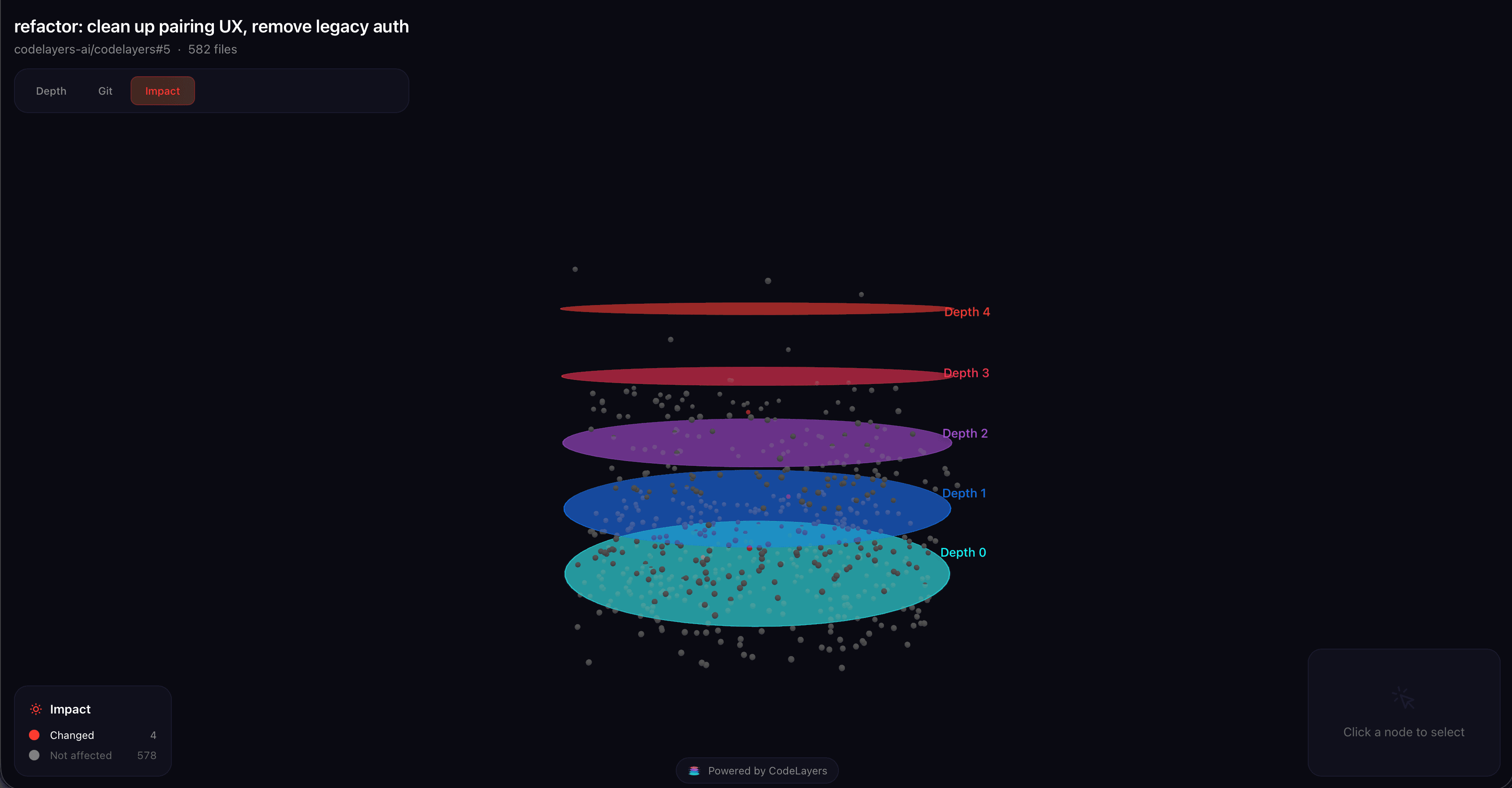
- Topological depth: How many layers of imports separate a file from the "leaves" (utility files that import nothing)? Depth 0 files are foundational. Higher-depth files are entry points and orchestrators.
- PageRank / centrality: Which files are most imported? Which are structural hubs? PageRank (yes, the Google algorithm) works surprisingly well on code dependency graphs.
- Blast radius: For a given change, how many files are affected transitively? This is computed via BFS traversal from the changed nodes.
Step 4: Rendering
The analyzed graph is rendered visually. This is where tools diverge significantly — from flat 2D node-link diagrams to layered architecture views to full 3D spatial visualizations.
Code visualization tools compared
Here's a practical comparison of the major tools available in 2026:
Sourcetrail (discontinued)
What it was: An open-source, cross-platform code exploration tool with an interactive dependency graph. Supported C, C++, Java, and Python.
Status: Discontinued in December 2021. The source code is archived on GitHub. Community forks exist but are not actively maintained.
Why it mattered: Sourcetrail was the first tool that made code visualization accessible to individual developers. Its discontinuation left a gap in the market that hasn't been fully filled — "Sourcetrail alternative" remains one of the most searched terms in this category.
CodeSee
What it was: A web-based codebase visualization tool focused on developer onboarding. Acquired by GitKraken in 2024.
Status: The learning center and some features persist within GitKraken's product suite, but standalone CodeSee development appears to have slowed.
Strengths: Good educational content around code visualization concepts. The onboarding use case resonated with teams.
Limitations: Web-only, no AI agent integration, required code to pass through their servers (not zero-knowledge).
SciTools Understand
What it is: An enterprise-grade static analysis and code visualization tool. Supports 70+ languages. Desktop application.
Strengths: Deep analysis capabilities, extensive language support, mature product.
Limitations: Expensive (enterprise pricing), no mobile or spatial experience, no AI integration, no real-time updates. Designed for compliance and analysis, not day-to-day code navigation.
CodeViz (YC S24)
What it is: A VS Code extension that generates interactive visual maps of your codebase. Can auto-generate C4 diagrams.
Strengths: Lives inside your editor. Good for quick visual reference.
Limitations: VS Code only. 2D only. No mobile or spatial experience. Limited to the IDE context window.
dependency-cruiser
What it is: An open-source tool that validates and visualizes JavaScript/TypeScript module dependencies. Generates SVG graphs.
Strengths: Free, open source, CI/CD integration, rule-based validation (catch circular dependencies in CI).
Limitations: JavaScript/TypeScript only. Static SVG output — not interactive. No real-time updates.
CodeLayers
What it is: A 3D code visualization platform for iPhone, iPad, Apple Vision Pro, and the web. Uses tree-sitter to parse 12 languages, builds dependency graphs with PageRank and topological depth metrics, renders them as interactive 3D spatial views. Zero-knowledge encryption means your code is encrypted on your machine before sync — the server never sees plaintext.
Strengths:
- 3D spatial visualization on multiple devices (phone, tablet, headset, browser)
- Blast radius analysis with color-coded impact visualization
- AI agent integration via MCP (Model Context Protocol) — Claude Code, Gemini, and Codex can highlight files, trace dependencies, and check blast radius in the 3D graph as they work
- Zero-knowledge encryption — AES-256-GCM, client-side only
- PR visualization — see any public GitHub PR in 3D via the free Explore feature
- Real-time updates — graph updates as you code during watch mode
Limitations: Apple ecosystem for native app (iPhone, iPad, Vision Pro). Web viewer works in any browser. 12 languages currently supported (Rust, TypeScript, Python, Go, Java, C++, C#, Ruby, PHP, Swift, Zig).
Pricing: Free for public repos. Pro ($7.99/mo) for private repos, AI agents, sharing, and CI/CD integration.
Quick comparison table
| Tool | Status | Languages | 3D | Mobile | AI Integration | Privacy | Pricing |
|---|---|---|---|---|---|---|---|
| Sourcetrail | Discontinued | 4 | No | No | No | Local-only | Free (archived) |
| CodeSee | Stagnant | JS/TS/Python | No | No | No | Cloud | Paid |
| SciTools Understand | Active | 70+ | No | No | No | Local | Enterprise |
| CodeViz | Active | Multi | No | No | Partial | Cloud | Free/Paid |
| dependency-cruiser | Active | JS/TS | No | No | No | Local | Free (OSS) |
| CodeLayers | Active | 10 | Yes | Yes | Yes (MCP) | Zero-knowledge | Free/Pro |
Choosing the right tool
The right code visualization tool depends on your use case:
"I just need to check JavaScript dependencies in CI" Use dependency-cruiser. It's free, open source, and integrates with your build pipeline. It validates rules (no circular deps) and generates SVG graphs.
"I need deep static analysis for compliance" Use SciTools Understand. It supports 70+ languages and produces detailed metrics. Budget for enterprise pricing.
"I want to see my codebase architecture and understand how code connects" This is where tools like CodeLayers and CodeViz live. If you want a VS Code-native experience, try CodeViz. If you want spatial/3D visualization across devices with AI agent integration and zero-knowledge encryption, CodeLayers is the option here.
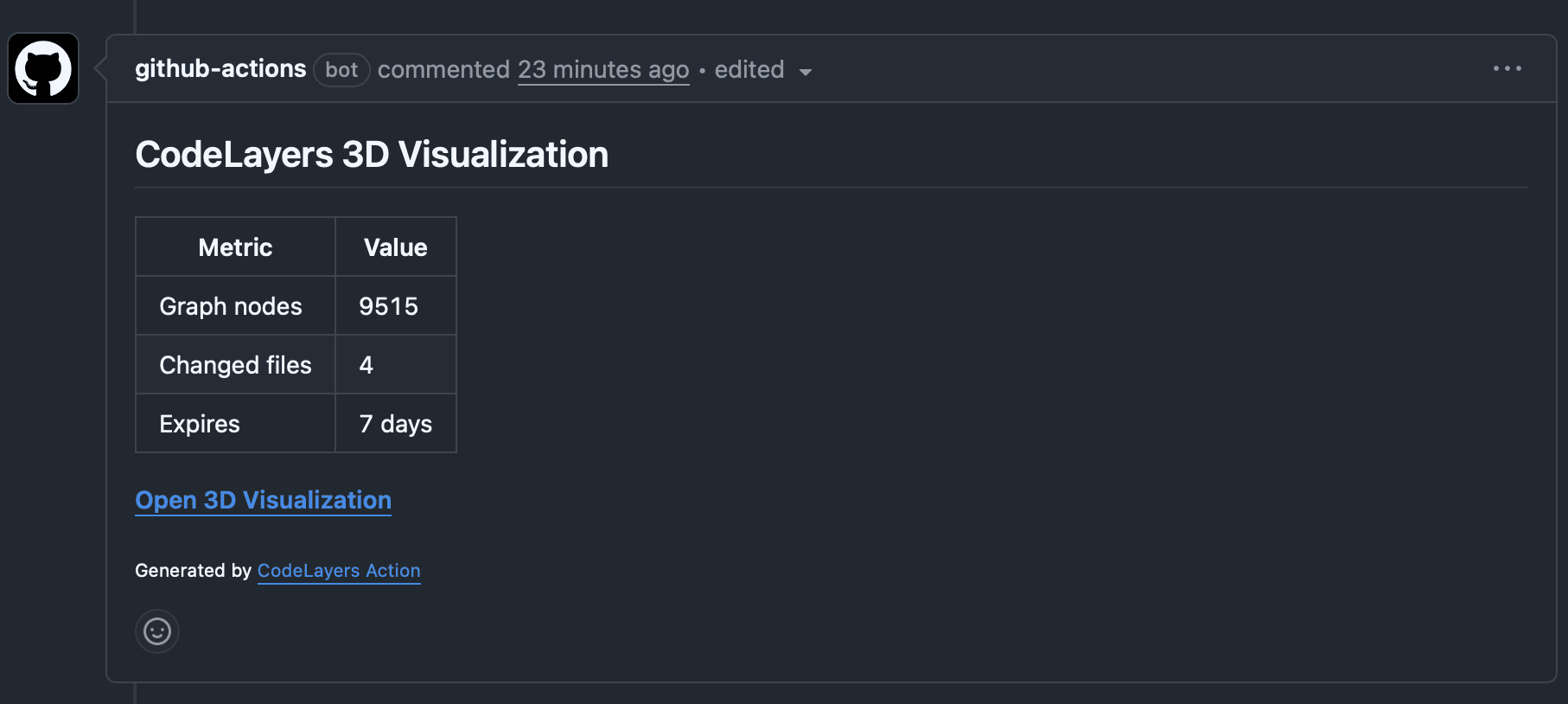
"I want to see the blast radius of a PR before merging" Use CodeLayers' Explore feature (free for public repos) or the GitHub Action for CI/CD integration on private repos. Paste any public GitHub PR URL and see the dependency impact in 3D — no account needed.
"I'm looking for a Sourcetrail replacement" The closest modern equivalents are CodeLayers (3D, multi-language, AI integration) and CodeViz (VS Code, visual maps). Neither is a 1:1 replacement — Sourcetrail's C/C++ support was deeper — but both exceed it in other dimensions.
Getting started with code visualization
If you've never tried code visualization, the lowest-friction entry point is exploring a codebase you already know:
-
Try it free: Go to the CodeLayers Explore page and paste a public GitHub repository or PR URL. No install, no account.
-
See the depth rings: Files are arranged in concentric rings by topological depth — foundational utilities in the center, entry points on the outside. This layout reflects the actual dependency hierarchy.
-
Tap to trace: Click any file node to see what it imports (outgoing dependencies) and what imports it (incoming dependencies).
-
Check blast radius: For PRs, switch to blast radius mode to see which files are affected by the change — colored from red (directly changed) to purple (5+ dependency hops away).
If the free explore convinces you, install the CLI to sync your private repos:
brew install codelayers-ai/tap/codelayers
codelayers login
codelayers sync .
What's next for code visualization
The category is evolving fast. Three trends to watch:
AI-native visualization: As AI agents write more code, they'll need spatial context — not just file-by-file understanding. MCP-based tools (like CodeLayers' 14 tools for Claude Code) give agents a map of the codebase alongside the code itself.
Real-time, always-on: Static diagram generation is being replaced by live, continuously updated graphs that reflect your codebase as you code. Watch mode (where the graph updates on every file save) is becoming table stakes.
Spatial computing: 3D code visualization on devices like Apple Vision Pro, and even on phones and tablets, turns code architecture into something you navigate physically — not something you read. This is still early, but the developers who've tried spatial code navigation report that it fundamentally changes how they think about architecture.
Key takeaways
- Code visualization turns invisible dependency relationships into visible structure
- AI-generated code is making visualization more important, not less — codebases grow faster than humans can track
- The "blast radius" problem (one change affecting hundreds of files transitively) is the strongest argument for visualization
- Tool choices range from lightweight CI validators (dependency-cruiser) to enterprise analyzers (SciTools) to spatial platforms (CodeLayers)
- The lowest-friction way to start: paste a GitHub PR URL into a free explore tool and see the dependency graph in 3D
Try it now: Explore any public GitHub repo in 3D — free, no account required.