You're deep in a refactor. Claude Code is reading files, proposing changes, highlighting dependencies in your 3D graph. Then you need to step away — lunch, a meeting, a walk.
Before CodeLayers, your AI agent sat idle until you got back to your laptop.
Now you pull out your phone.
The Problem with Local-Only Agents
Claude Code, Gemini CLI, and Codex are powerful. But they share a limitation: they're tied to your terminal. Walk away from your desk and the conversation pauses. Want to check what your agent is doing? You need line-of-sight to your screen.
Coding doesn't happen in a chair. Ideas come in the shower. You remember a bug at dinner. You want to kick off a refactor from the couch and watch it run.
AI coding agents should work where you are, not where your laptop is.
Local Mode: Where It Starts
Everything begins in your terminal:
codelayers watch ./my-project --agent claudeThis does three things:
- Parses your codebase with tree-sitter (12 languages) and builds a dependency graph
- Syncs the encrypted graph to the backend — AES-256-GCM encrypted before it leaves your machine
- Spawns Claude Code with MCP tools that control a 3D visualization of your architecture
In local mode, you type directly into Claude in your terminal. Standard workflow. But every message, every file read, every tool call streams to the backend encrypted end-to-end. Your phone is already watching.
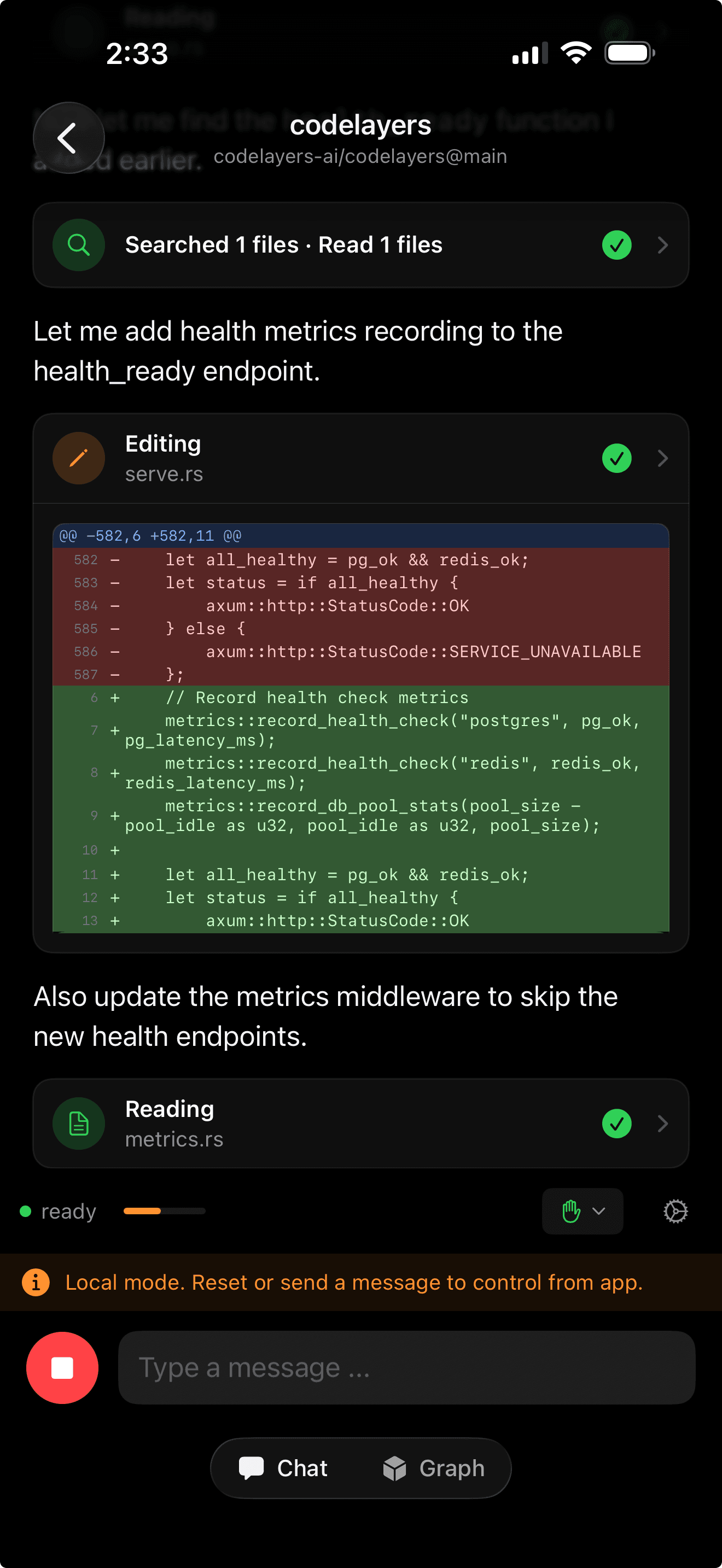
Claude editing Rust code locally. The yellow banner shows local mode — your phone observes but doesn't control yet.
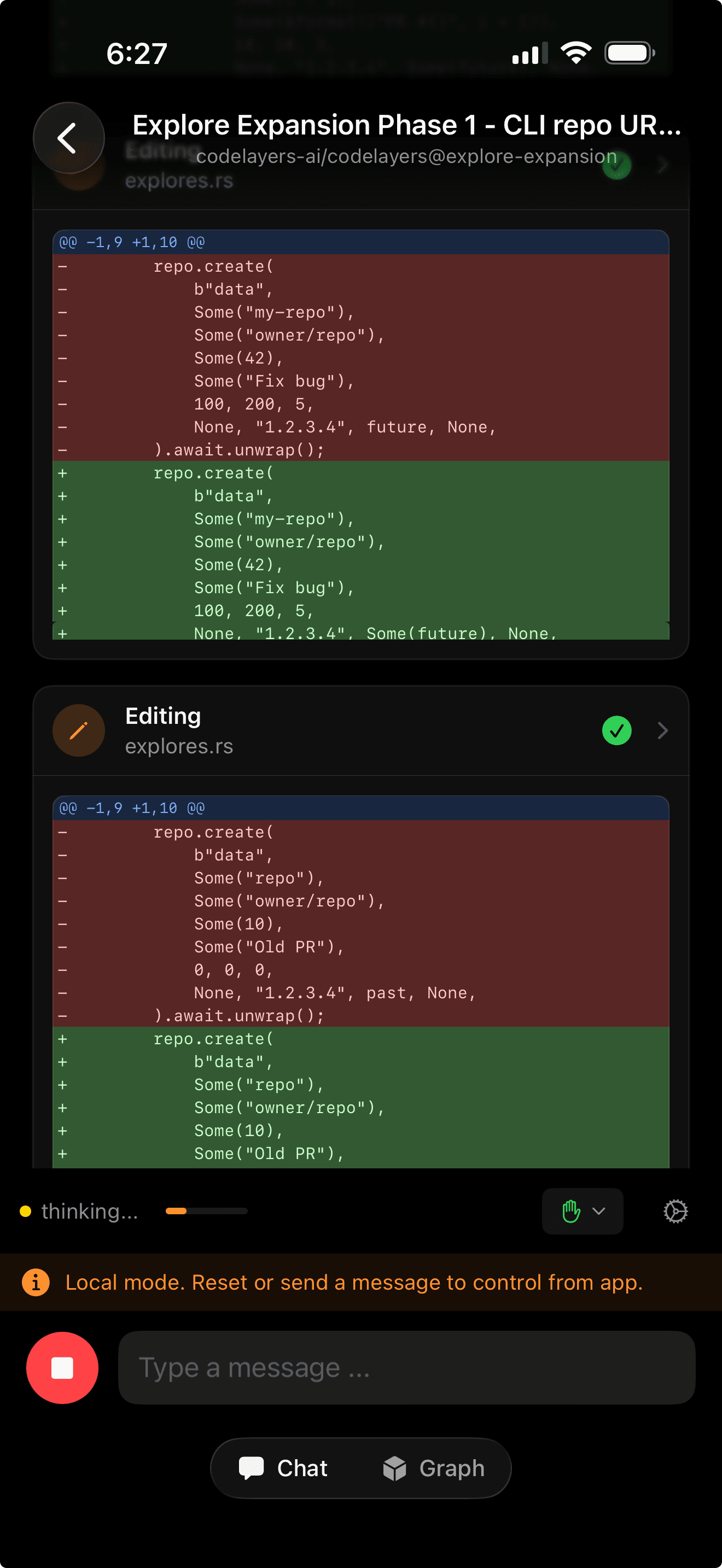
Full git-style diffs rendered on your phone as Claude works. Red lines removed, green lines added.
Go Remote: Your Phone Takes Over
Open CodeLayers on your iPhone. Your active session appears. Tap it — you see Claude's full conversation history, decrypted on-device. Type a prompt:
"Refactor the auth middleware to use the new token validation"
The moment you hit Send, three things happen:
- Your iPhone sends the encrypted prompt to the backend
- The CLI detects it and automatically switches from local to remote mode
- Claude picks up the conversation with full context via
--resumeand starts working
On your phone, you watch Claude think, read files, propose changes. Tool calls appear as expandable cards showing exactly which files were touched.
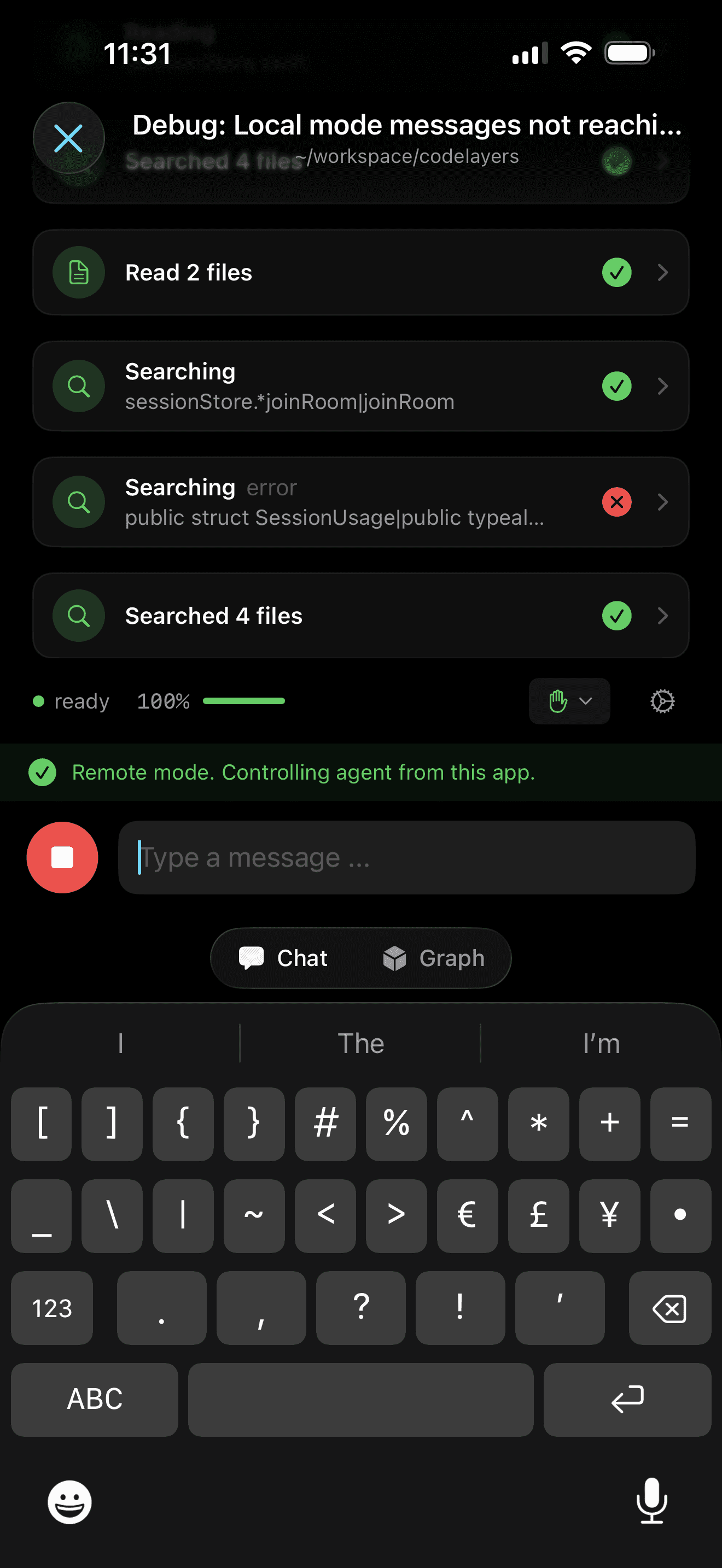
Remote mode active. Claude is reading files and searching the codebase — all triggered from your phone.
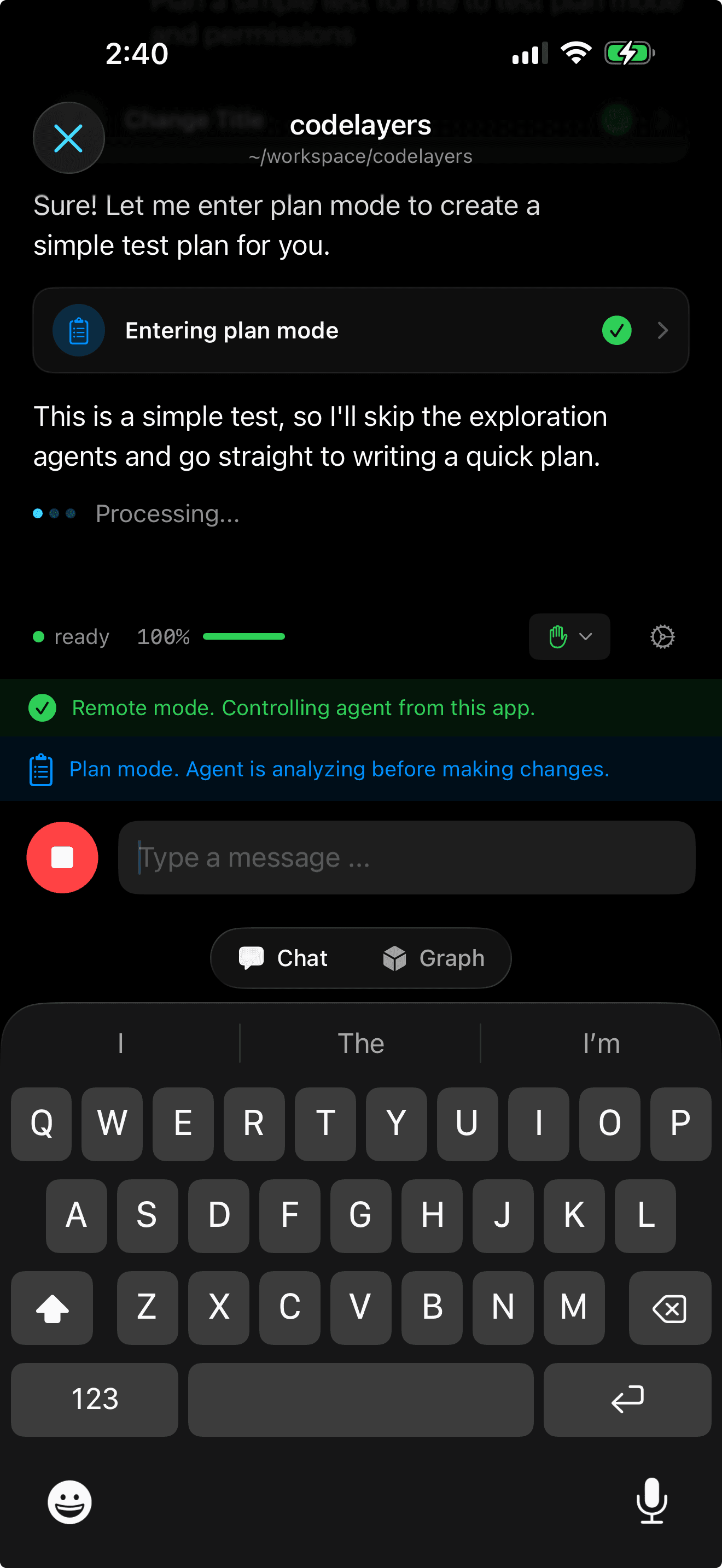
Claude enters plan mode remotely. The green banner confirms your phone is controlling the agent.
Permission requests come straight to your phone. Claude wants to write to auth.rs? Approve it from your pocket.
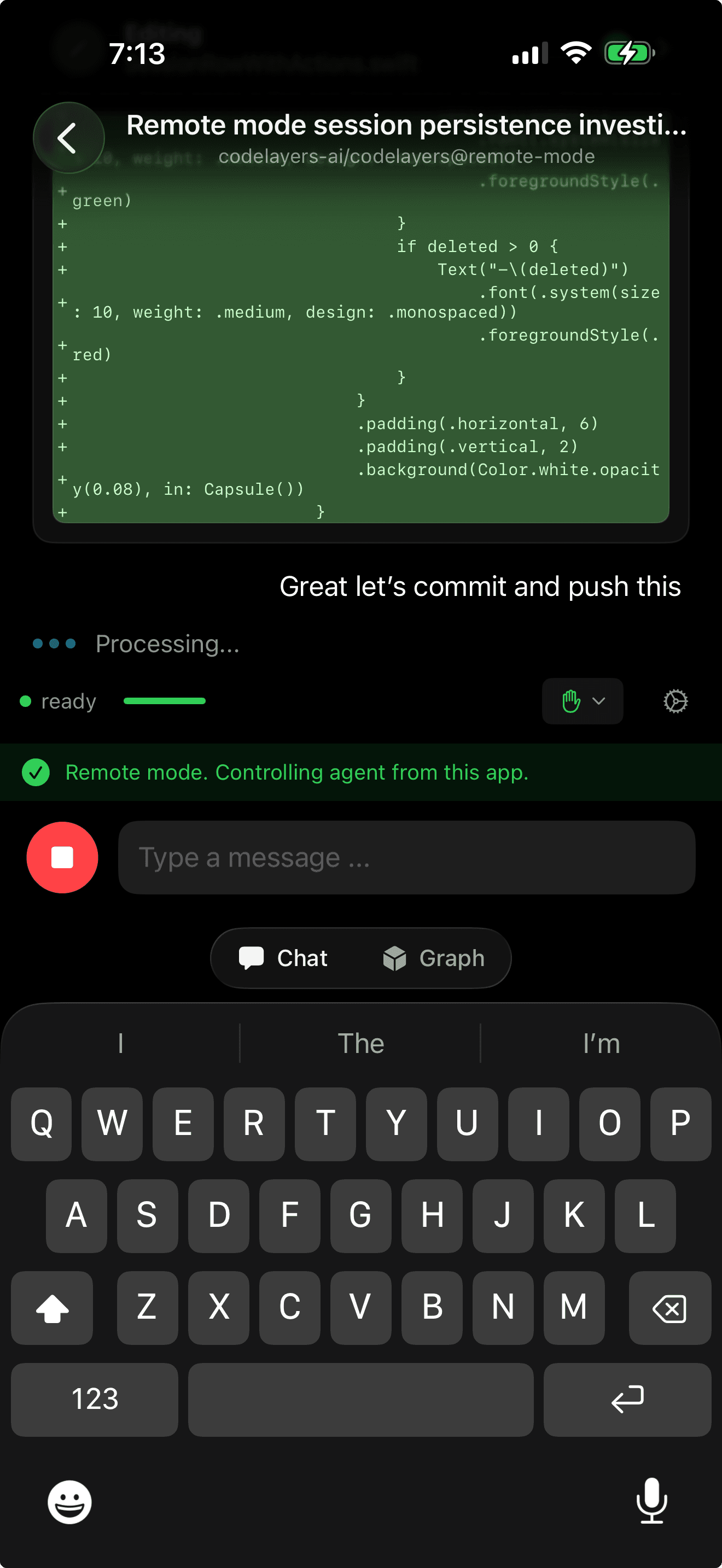
Claude finished a change and is ready to commit — you review the diff and approve, all from your phone.
See What Claude Sees
Switch to the Graph tab. Your codebase appears as a 3D dependency graph — files as spheres, imports as connections, arranged by depth.
As Claude works, the graph lights up. Files it reads glow yellow. Files it modifies turn green. Problem areas go red. This is a live view of what your agent is touching, updating in real time.
On iPad, you get both at once — split-view with the 3D graph on one side and Claude's chat on the other.

iPad: Claude's conversation and your codebase architecture side by side.
On Vision Pro, the graph fills your room. Depth rings float in space. Claude's highlights glow as it navigates your architecture.
Go Back to Local
Done with your walk? Sit back down. The terminal shows a TUI displaying the remote conversation that happened while you were away. Press Space twice.
The CLI switches back to local mode. Claude is spawned again with the same session — every message, every file read, every decision from your phone is part of the context. You pick up typing where you left off.
No context lost. No session restart. No re-explaining what you were working on.
Live Activity: Your Agent on Your Lock Screen
When agents are running, CodeLayers posts a Live Activity to your Lock Screen. At a glance you see:
- Which agents are active and their status (Ready, Thinking, Running tool)
- Lines changed per session (+921 -180)
- How many sessions are running
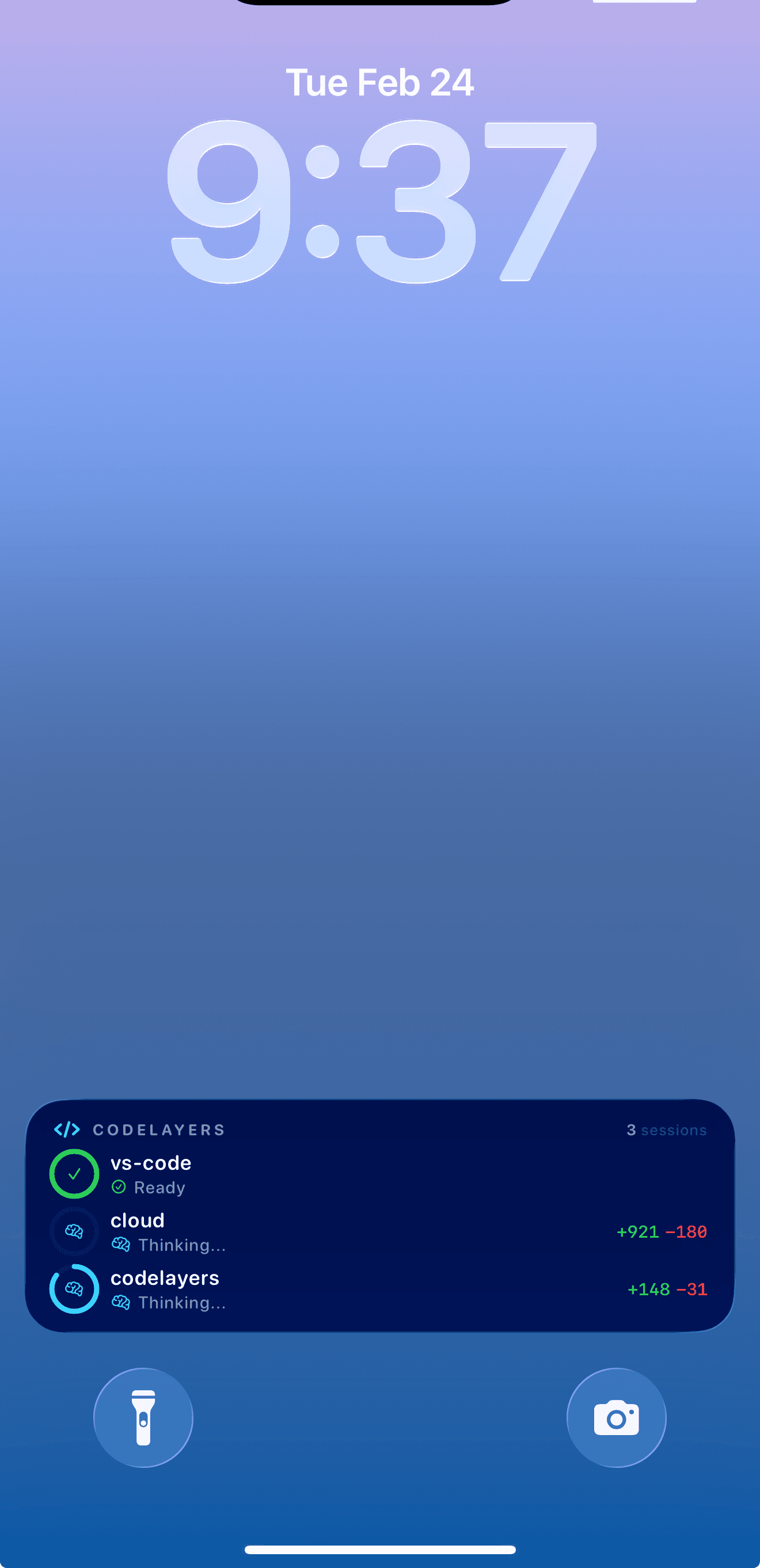
Three agents running simultaneously. The Live Activity shows status and line changes without opening the app.
You don't need to open the app to know what your agents are doing.
How It Works
The architecture is deliberate:
- The CLI owns the agent. Claude always runs as a subprocess on your dev machine. Your phone never runs the agent directly — it sends prompts and receives responses.
- The backend is a message bus. Every message and visualization command flows through the backend WebSocket, encrypted end-to-end. The backend never sees plaintext code.
- Session identity carries across switches. Claude's
--resumeflag loads the full conversation. Whether you switch to remote on your phone or back to local in your terminal, context is preserved. - MCP tools bridge code and visualization. 14 tools let Claude search symbols, get file skeletons, trace call chains, check blast radius, create highlight layers, and control the 3D view.
The mode switch is automatic. Send a prompt from your phone, the CLI detects it, gracefully stops the local process, restarts in remote mode, pipes your prompt in, and streams the response back. The whole transition takes less than a second.
Three Agents, One Workflow
This isn't just for Claude. CodeLayers supports the same local-to-remote handoff for:
| Agent | Session Resumption |
|---|---|
| Claude Code | --resume with session ID |
| Gemini CLI | --resume <id> |
| Codex | codex resume <thread-id> |
Pick your agent when you start watch mode. The sync, visualization, and mode switching work the same across all three.
Getting Started
If you're already using Claude Code, you're one command away:
- Install the CLI:
brew install codelayers-ai/tap/codelayers - Login:
codelayers login - Start watching:
codelayers watch ./your-repo --agent claude - Open CodeLayers on iPhone or iPad — your session appears automatically
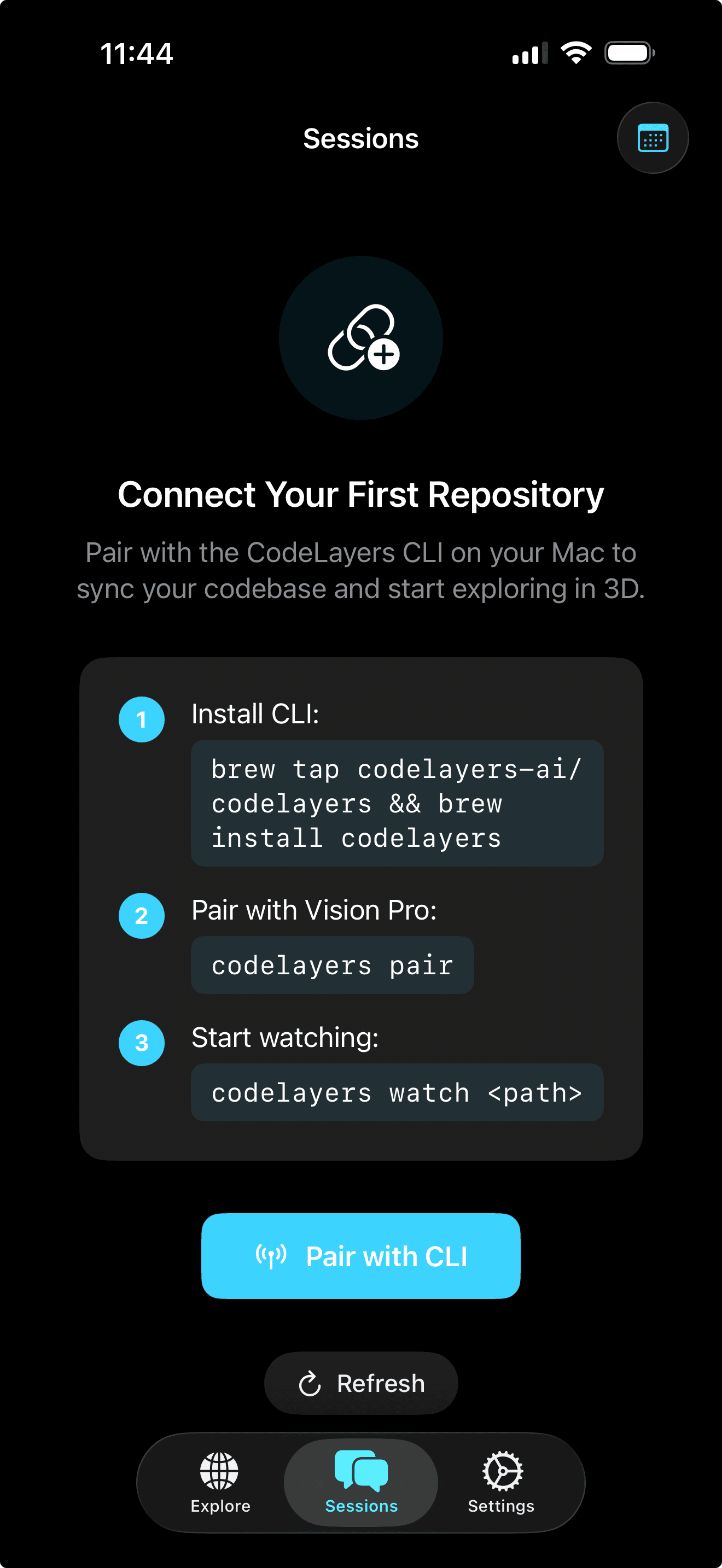
The app walks you through connecting to your CLI.
Download CodeLayers on iPhone, iPad, or Vision Pro.
What's Next
We're building toward a world where your AI coding agent is always on, always reachable, and always aware of your full codebase. The local-to-remote handoff is the beginning.
Remote approval queues. Multi-agent orchestration from your phone. Watching three agents work simultaneously in your Vision Pro.
Your AI agent shouldn't be chained to your terminal. Neither should you.