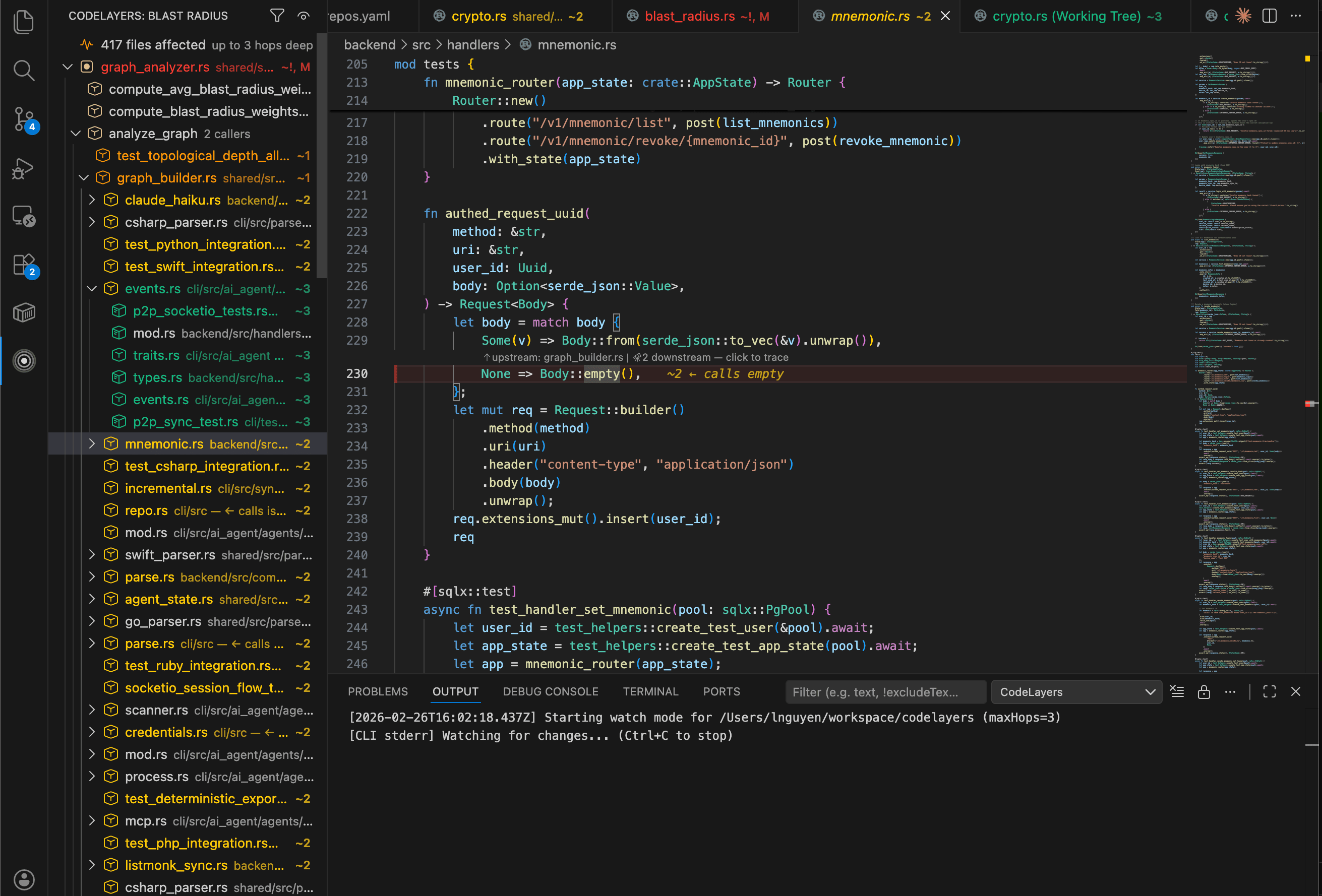
Last week we were adding a new metric to our graph analysis pipeline. One field on a shared struct — blast_radius_weight: f64 added to GraphNode in models.rs. Seemed harmless. A struct field.
We hit save. The sidebar turned red.
417 files affected. Three hops deep.
Half the backend handlers. Every integration test. The sync layer, the graph analyzer, the encryption pipeline — all downstream from that one struct. We hadn't pushed anything. We hadn't even left the editor. But we already knew the blast radius of our change.
Without this, we'd have found out in CI. Twenty minutes later. After pushing.
That's why we built CodeLayers for VS Code.
Install from the VS Code Marketplace →
What Happened When We Saved
The extension pairs with a lightweight CLI that runs in the background. The CLI parses your code with tree-sitter — the same parser behind GitHub's code navigation — builds a dependency graph, and watches for changes. The extension shows you the results.
When we saved models.rs, here's what appeared in under a second:
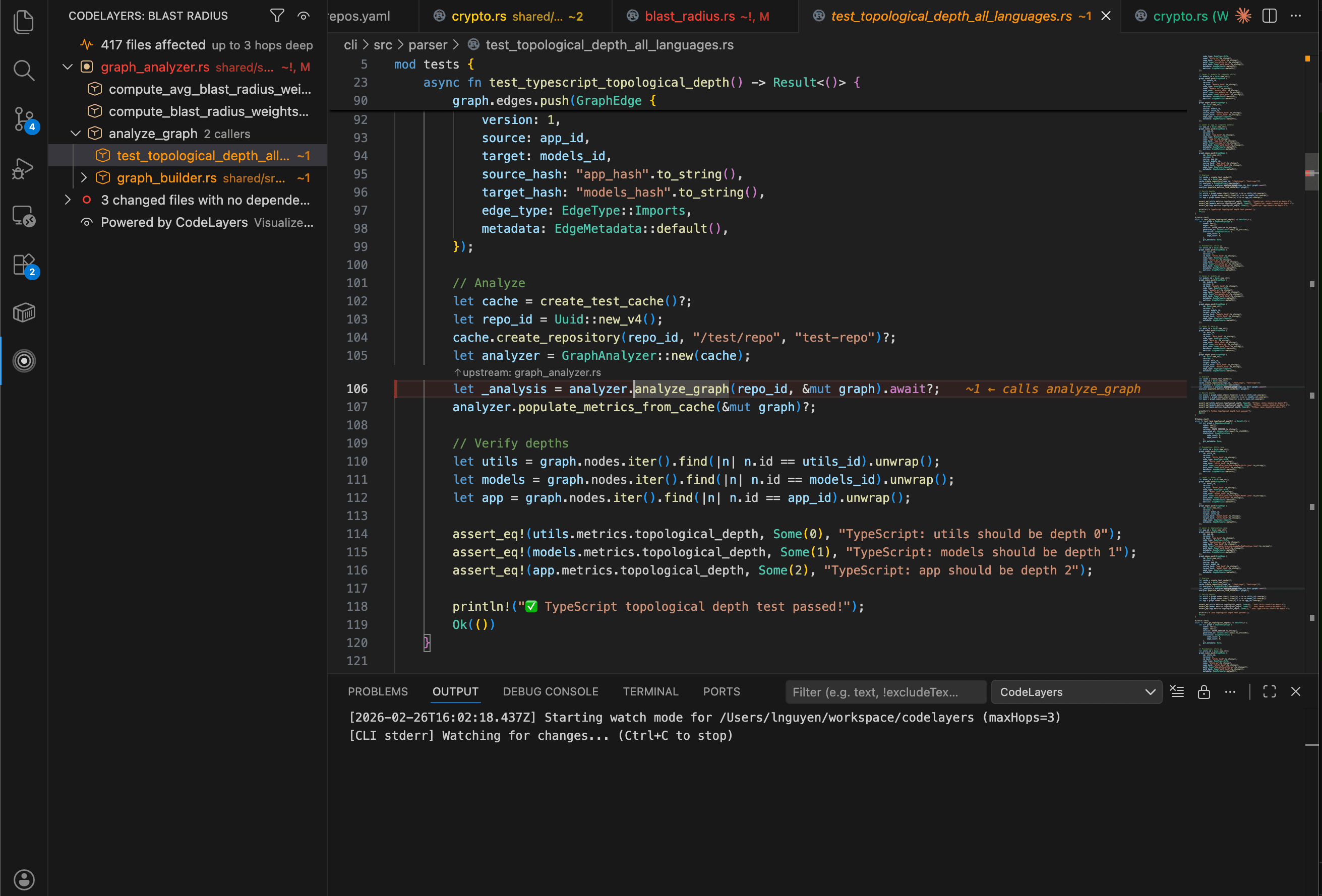
The sidebar tree filled with every affected file, organized by distance from our change. Red for models.rs itself. Orange for the 23 files that directly import GraphNode. Yellow for the files that depend on those files. Green and blue for the outer rings — three and four hops away.
The file explorer lit up with badges: ~! on models.rs, ~1 on direct importers, ~2, ~3, ~4 cascading outward. We could see the blast radius in the file tree without opening anything.
The editor gutter got colored left borders on every affected line, with inline annotations showing why each line was in the blast radius.
Following the Ripple
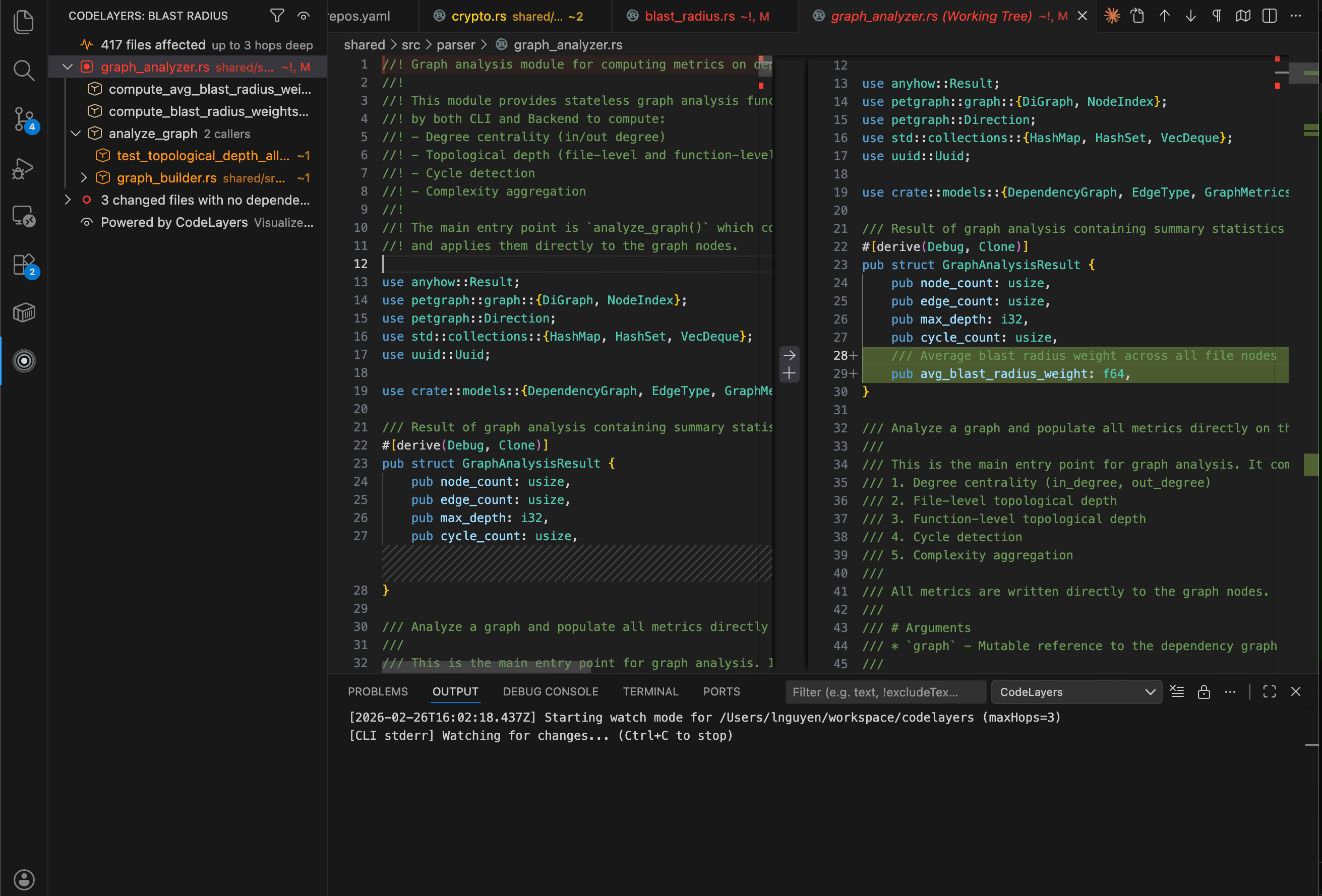
The number 417 is scary. But not all 417 files are equally important. The sidebar sorts by impact — files that ripple the furthest appear first.
We expanded graph_analyzer.rs at the top. It showed exactly why it was affected: ← imports GraphNode. And below it, 12 more files that depend on the analyzer. Each one labeled with its reason — ← calls analyze_graph, ← references GraphAnalysisResult.
The tree tells you three things for every file:
- What you changed — specific functions and types, marked with
Δ - Why it's affected —
← calls process_eventor← imports GraphNode - How far it ripples —
→ 12 depsmeans twelve more files downstream
At the bottom of the tree: three files we changed that had zero dependents. The sidebar groups these as safe changes. Those we didn't need to think about at all.
Knowing What's Safe
This is the part that actually saves time.
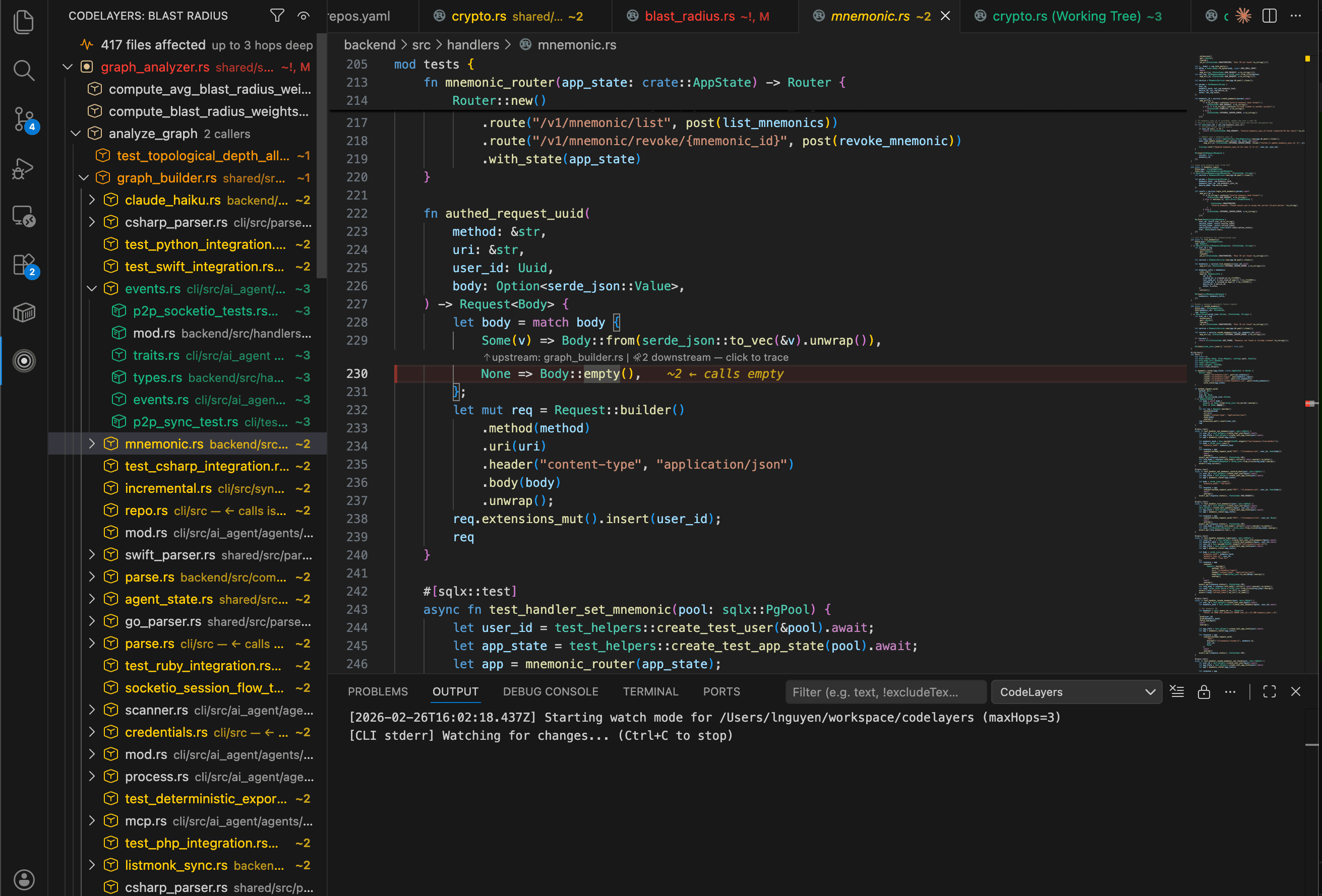
A CodeLens annotation appeared above our new blast_radius_weight field showing the number of callers. We clicked it and got a quick-pick list of every file that references the field — then jumped straight to the call site.
But the best part was on a helper function we also changed. The CodeLens showed a checkmark: zero callers. Nobody uses it. Safe to change freely. That one annotation replaced a five-minute grep -r session and the nagging doubt that follows it.
The status bar at the bottom showed 417 files affected the whole time. When you cross 20 files (configurable), it turns warning color — a gentle nudge to slow down and review before pushing.
Narrowing the Focus
417 files is the full blast radius — imports, function calls, and type references combined. But we only changed a struct field. We didn't change any function behavior.
One click on the filter icon, switch to Functions mode, and the tree collapsed. Only files that call our changed code remained. The noise disappeared.
| Filter | Shows | Use When |
|---|---|---|
| All | Imports, calls, and type references | You want the full picture |
| Functions | Only function calls and references | You changed a function body |
| Imports | Only import/module dependencies | You're moving or renaming files |
The sidebar, decorations, CodeLens, and status bar all update instantly when you switch filters.
The Setup
The extension works across Rust, TypeScript, JavaScript, Python, Java, Go, C++, C#, Ruby, PHP, Swift, and Zig — anywhere tree-sitter can parse, CodeLayers can trace dependencies.
Getting started takes under two minutes:
1. Install the CLI
brew install codelayers-ai/tap/codelayersOr: curl -fsSL https://codelayers.ai/install.sh | bash
2. Install the extension
Search "CodeLayers" in VS Code, or:
code --install-extension codelayers.codelayers3. Open a project and save a file
CodeLayers activates in any git repository. The CLI starts watching in the background. Save a file and the blast radius appears. That's it.
Supports macOS and Linux. Windows is on the roadmap.
Works in Cursor Too
Since Cursor is built on VS Code, the extension works there out of the box. Same sidebar, same decorations, same CodeLens — no separate install needed.
cursor --install-extension codelayers.codelayersOr search "CodeLayers" in Cursor's extension panel. Everything in this post applies identically.
Under the Hood
For the curious:
- Watch mode runs by default — the CLI watches your repo and streams updates. No manual triggers.
- Cached results survive VS Code restarts. Reopen your editor and the last blast radius is there instantly.
- Smart restarts — if the CLI crashes, the extension restarts it with exponential backoff.
- Five settings to tune:
maxHops(1–10, default 3),showCodeLens,defaultFilterMode,warningThreshold,cliPath.
See Architecture, Not Just Files
The VS Code extension is one surface for CodeLayers' analysis engine. If you want the full picture — your codebase as an interactive 3D graph, with AI agents that trace dependencies and highlight architecture — check out the CodeLayers app for iPhone, iPad, and Apple Vision Pro.
Same engine. Same parsing. Different dimension.
Free and open source. Runs entirely on your machine — no account, no cloud, no data leaves your laptop.
Install from VS Code Marketplace → · Works in Cursor too · Source on GitHub